- Home Page /
- Arts Crafts & Sewing /
- Crafting Supplies /
- Craft Supplies /
- Cutting Tools /
- Art Knives & Blades /
- Art Blades /
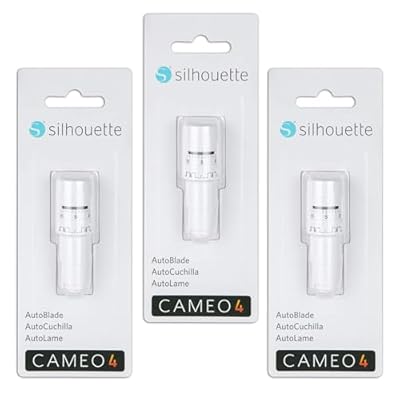
- Silhouette AutoBlade for Cameo 4 (3 Pack)
0 ratings







Item #:
20753752
Silhouette AutoBlade for Cameo 4 (3 Pack)
90% of respondents would recommend this to a friend
Item #:
20753752
NAD 1227
Price Details
Excluding Shipping & Custom charges ( Shipping and custom charges will be calculated on checkout )
*All items will import from US
In stock
 Imported from USA store
QTY:
Order now and get it around Saturday, June 27
Secured transaction
Ubuy works hard to protect your security and privacy. Our advanced payment security system ensures confidentiality by encrypting your information during transmission using AES (Advanced Encryption Standards) and SSL (Secure Socket Layer) protocols. Your payment details are 100% secure as we do not share your payment details with third party sellers.
Our Top Logistics Partners


Sit back and watch your machine work its magic.

Fast
Shipping

Free
Return*

Secure Packaging

100% Original Products

PCI DSS Compliance

ISO 27001 Certified


Note: Step Down Voltage Transformer required for using electronics products of US store (110-120). Recommended power converters Buy Now.


What Stands Out
Versatile Compatibility
Designed specifically for the Silhouette Cameo 4, ensuring seamless integration and optimal performance for crafting and design projects.
Precision Cutting
AutoBlade technology automatically adjusts the blade depth for various materials, offering consistent precision that enhances creativity with every cut.
Design Variety
Includes 50 exclusive designs, providing users with a diverse array of options to explore, making it easy to start projects right away.
Product Details
- Compatible with Newest Silhouette Machines – Designed for flawless use with Silhouette Cameo 4, Cameo 5, Portrait 3, Portrait 4, and Curio 2. Not compatible with older models like Cameo 3.
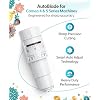
- Smart Auto-Adjusting Technology – Blade automatically adjusts cutting depth and force via Silhouette Studio software, allowing precise cuts with no manual calibration—perfect for all skill levels.
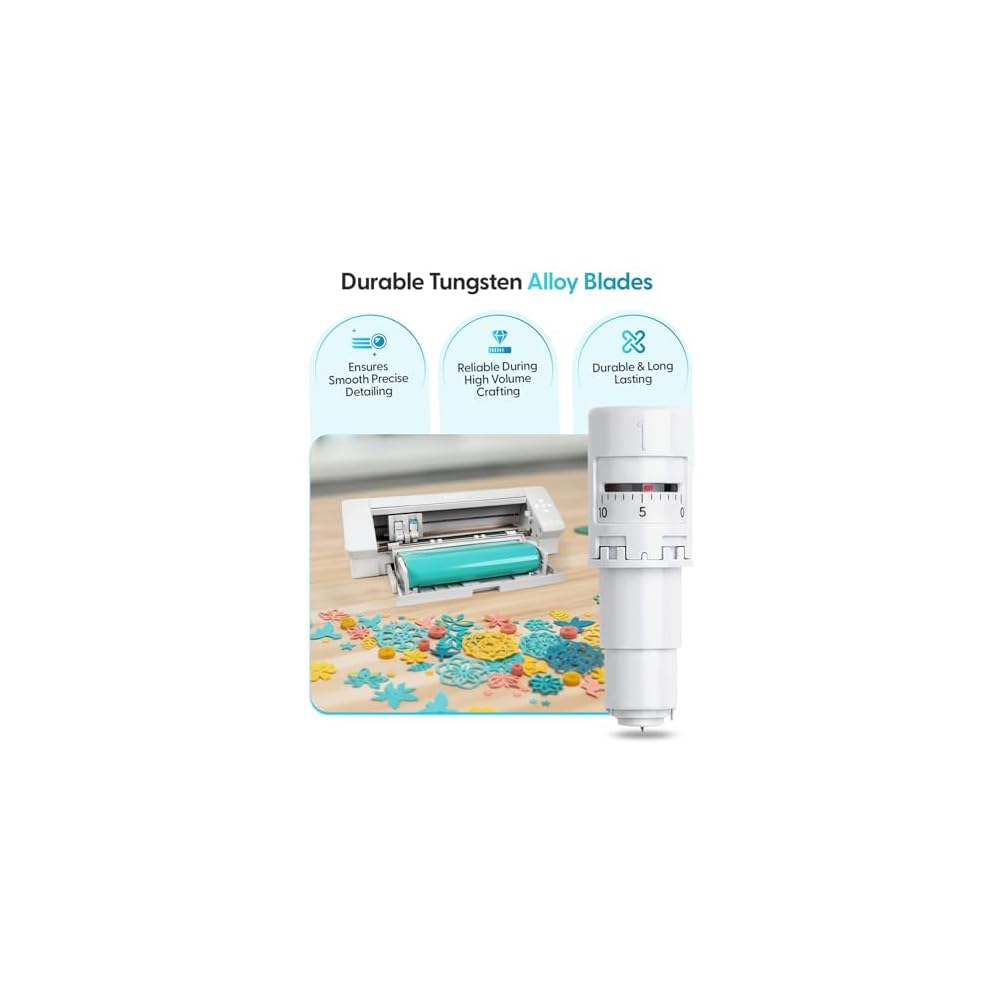
- Precision-Tuned Tungsten Alloy Blades – Durable and sharp, these blades cut cleanly through materials like vinyl, HTV, cardstock, paper, and sticker sheets with professional accuracy.
- Simple Snap-In Installation – Hassle-free replacement design makes switching blades fast and easy. No tools needed—just click in and start cutting.
- Great Value 3-Pack for High-Volume Crafters – Ideal for frequent users, this 3-pack keeps you stocked and ready for DIY, home décor, small business crafting, and more.
| Brand Name | Silhouette America |
| Manufacturer | Silhouette America |
| UPC | 819177023503 |
| Part Number | CC-SILH-ACC-B6 |
| Model | CC-SILH-ACC-B6 |
| Included Components | Autoblade |
| Operation Mode | Automatic |
| Print media | Card stock |
| Active Surface Area | 120 square inches (304.8 cm) |
| Material Type | Tungsten |
| Color | silver |
| Brand | Silhouette America |
| Material | Tungsten |
| Package Weight | 1.27 Pound |
What's in the box
Autoblade
Who Should Buy?

-
Craft Enthusiasts
Ideal for users who enjoy crafting and need precise cuts for various materials and designs.
-
Small Business Owners
Perfect for entrepreneurs creating custom items like stickers, cards, or decals in their home workspace.
-
Hobby Crafters
Beneficial for hobbyists looking to expand their crafting capabilities with versatile cutting options and included designs.

-
Beginners
Not the best choice for newcomers to crafting who may struggle with setup and usage without prior experience.
-
Limited Budget
Users on a tight budget may find the cost restrictive, especially if they only require infrequent usage.
-
Occasional Users
Not suited for users who craft rarely, as the pack may be more than needed for infrequent projects.
Product Description
Have any Query? Chat with us
Customer Questions & Answers
-
Question:
What is the Silhouette AutoBlade for Cameo 4?
Answer: The Silhouette AutoBlade for Cameo 4 is a versatile tool designed for precision cutting of various materials. It automatically adjusts its depth based on the material you select, allowing for clean and accurate cuts without the need for manual adjustments. This feature is particularly beneficial for crafters and designers who work with different materials like vinyl, cardstock, and fabric. For example, when using thicker materials, the AutoBlade calibrates automatically, ensuring optimal cutting performance every time. -
Question:
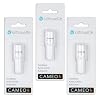
How many blades are included in the Silhouette AutoBlade 3 Pack?
Answer: The Silhouette AutoBlade 3 Pack includes three individual AutoBlades. This allows users to have backup blades ready to go, ensuring uninterrupted crafting sessions. Each blade is designed for long-lasting performance and can easily be swapped in and out of your Cameo 4 machine. For instance, you can designate one blade for cutting vinyl, another for cardstock, and keep an extra one as a spare for when you need it. -
Question:
Can the AutoBlade be used with the Silhouette Cameo 3?
Answer: No, the Silhouette AutoBlade is specifically designed for the Cameo 4 and is not compatible with Cameo 3 or earlier models. The Cameo 4 features advanced technology that allows the AutoBlade to function optimally, including the automatic depth adjustment. If you own a Cameo 3, you will need to purchase a different blade model to suit your machine. Consider this when planning projects or organizing your crafting tools. -
Question:
What types of materials can I cut with the Silhouette AutoBlade?
Answer: The Silhouette AutoBlade can cut a wide range of materials including vinyl, cardstock, heat transfer material, and stickers. The versatility of this tool means you can tackle various crafting projects, from home decor to custom apparel. For instance, if you’re making personalized T-shirts, the AutoBlade adjusts perfectly for heat transfer vinyl, ensuring precise cuts that perfectly fit your designs. -
Question:
How do I install the AutoBlade into my Cameo 4?
Answer: Installing the AutoBlade into the Cameo 4 is a straightforward process. First, open the blade compartment by pressing the appropriate button on the machine. Next, remove any existing blade and insert the new AutoBlade until you hear a click, indicating it is properly seated. Finally, perform a test cut to ensure the blade is functioning correctly. This simplicity makes it easy to swap blades quickly when changing projects. -
Question:
How does the AutoBlade improve cutting accuracy?
Answer: The AutoBlade enhances cutting accuracy by automatically adjusting its cutting depth according to the selected material type. This feature prevents issues such as over- or under-cutting, ensuring that your designs are executed with precision. Whether you are creating intricate designs or straight cuts, the AutoBlade provides consistent results, which is essential for professional-quality projects. -
Question:
Is the Silhouette AutoBlade suitable for beginners?
Answer: Yes, the Silhouette AutoBlade is particularly suitable for beginners due to its hassle-free operation and automatic adjustments. Beginners benefit from reduced complexity, as you don’t have to worry about manually setting the blade depth. This allows newcomers to focus on creativity without being overwhelmed by technical details. You can jump right into creating various projects like invitations or custom stickers with confidence. -
Question:
How long does the AutoBlade typically last?
Answer: The longevity of the Silhouette AutoBlade depends on the frequency of use and the materials being cut. However, when used correctly, the blades can last for many projects. Routine maintenance, such as keeping the blade clean and using the appropriate settings for different materials, can extend blade life. Regular users can expect to replace blades quarterly, but less frequent users may find theirs lasts much longer. -
Question:
Can I use the AutoBlade for detailed designs?
Answer: Absolutely, the AutoBlade is excellent for cutting detailed designs thanks to its precise depth adjustments. This capability allows you to achieve intricate cuts without sacrificing quality, making it perfect for detailed projects such as paper crafts, vinyl decals, and more. When using the AutoBlade, ensure your design settings are optimized for the material type to get the best results. -
Question:
Where can I buy Silhouette AutoBlade for Cameo 4 3 Pack in Namibia?
Answer: You can purchase the Silhouette AutoBlade for Cameo 4 3 Pack from Ubuy. Ubuy offers a reliable online shopping experience with a user-friendly interface, making it easy to find the specific crafting supplies you need. They provide international delivery options, ensuring that you can receive your order in a timely manner.
SilhouetteAmerica Art Blades Editorial Review


The Silhouette Cameo 4 Autoblade 2 works on all Cameo 4 models and the Portrait 3. The autoblade feature allows changing the blade length quickly without an attachment. However, some customers reported receiving incorrect blades, poor cutting quality, and dull blades that do not last long. A reviewer complained that the additional design files included in the package did not work. Some customers recommended buying several blades at once because they tend to get dull quickly, but other customers specified that these blades only work with the Cameo 4 models.
Customer Reviews & Ratings
8376 customers ratings
-
5 Star
88%
-
4 Star
8%
-
3 Star
2%
-
2 Star
0%
-
1 Star
2%
Review this product
Share your thoughts with other customers
Pros
- Autoblade feature for quickly changing blade length
- Works on all Cameo 4 models and Portrait 3
Cons
- Inconsistent quality
Product Price History
Important information
- Limitations : For products shipped internationally, please note that any manufacturer warranty may not be valid; manufacturer service options may not be available; product manuals, instructions, and safety warnings may not be in destination country languages; the products (and accompanying materials) may not be designed in accordance with destination country standards, specifications, and labeling requirements; and the products may not conform to destination country voltage and other electrical standards (requiring use of an adapter or converter if appropriate). The recipient is responsible for assuring that the product can be lawfully imported to the destination country. When ordering from Ubuy or its affiliates, the recipient is the importer of record and must comply with all laws and regulations of the destination country.
- Not all the products listed on Ubuy are for sale, as Ubuy is a global search engine. Products are subject to export/trade regulations.
NAD 1227
Order now and get it around Saturday, June 27
This item is not restrict in my country.(Please click on above link if this item is not restrict in your country, So our team will review and allow.)
QTY:
Secured transaction
Ubuy works hard to protect your security and privacy. Our advanced payment security system ensures confidentiality by encrypting your information during transmission using AES (Advanced Encryption Standards) and SSL (Secure Socket Layer) protocols. Your payment details are 100% secure as we do not share your payment details with third party sellers.
Our Top Logistics Partners
Fastest cross-border delivery
Features & Benefits
- Exclusively designed for the Cameo 4.
- Automated blade adjustment based on software settings.
- Reduces adjustment time by nearly 90%.
- Made from durable sintered tungsten alloy.
- Compatible with various material types recommended by software.
- Effortless operation allows you to relax while crafting.